Cave Casualties Inventory, Stash and Packing
Manage your Cave Casualties inventory before and during a descent: choose supplies from your stash, arrange carried items, and account for their weight.
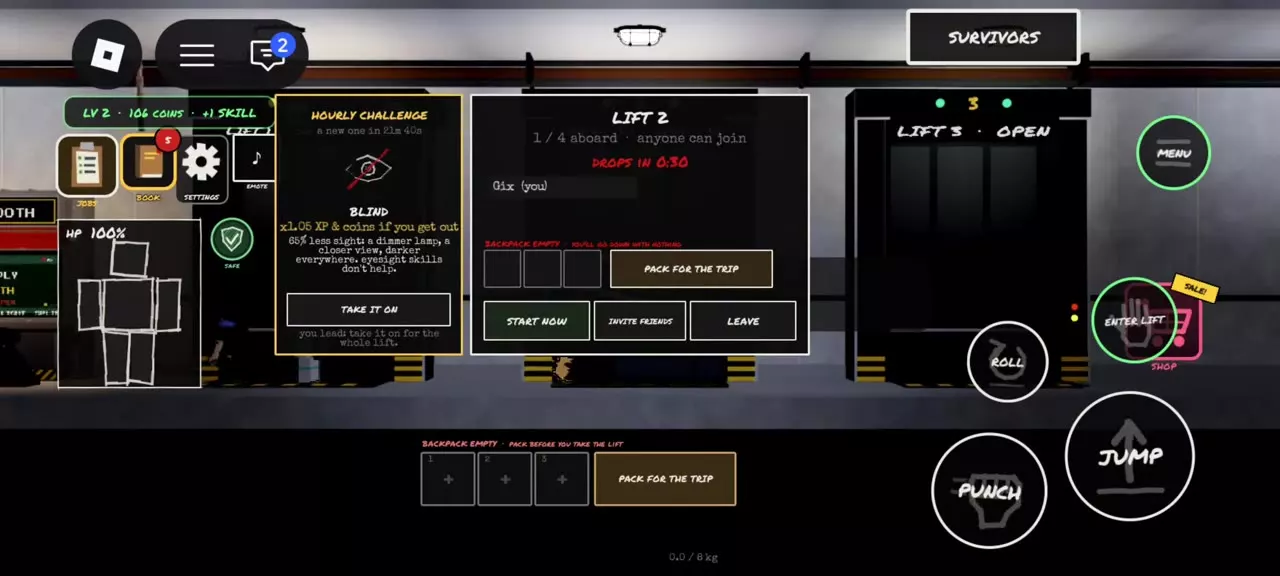
Before descending, select up to three stash items in Pack for the Trip. Underground, open MENU → BAG to rearrange carried items and use their displayed controls. Heavy loads slow movement, while Endurance increases the weight you can carry before slowing down.
Stash and Expedition Inventory
Your stash holds supplies above ground, including purchased supplies and claimed Playtime Bandage and Water rewards. The Supply Booth also shows supplies you own in the stash.
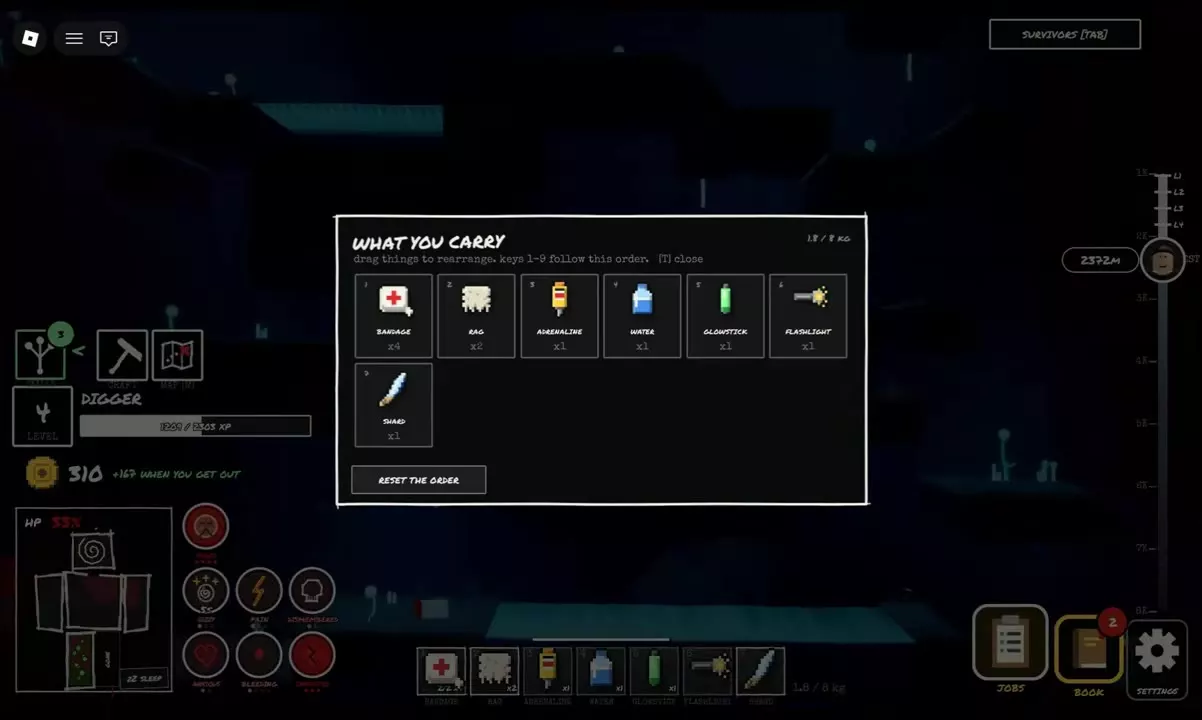
WHAT YOU CARRY lists the items currently with you during an expedition. The three slots in Pack for the Trip limit what you select from the stash at departure; they are not the total carrying capacity underground. Likewise, the 1–9 hotbar keys indicate selection positions, not a nine-item inventory limit.
Hotbar Order and Held Items
- Open MENU and choose BAG.
- In WHAT YOU CARRY, drag items into the order you want. Number keys 1–9 follow that order, so put frequently needed supplies where you can select them quickly.
- Choose RESET THE ORDER to restore the order, or press I to close the inventory.
Select an item from its hotbar position. When its prompt shows Q: put away, press Q to stop holding it; MENU → PUT AWAY also empties your hands. Check the displayed target name before using PICK UP on an item on the ground.
On mobile, selecting Water provides a THROW action with an arcing aim preview. Water on the ground offers PICK UP and is added to the hotbar when collected.
Carrying Equipment
Underground Supply Dealer offers depend on the item being stocked; use TRADE to buy a stocked Sack. A Sack on the ground also offers PICK UP when you are within reach.
Find Sack and Big Backpack purchase options and carrying controls.
2 objects
|
|
Sack | — | 38 coins When stocked by the Supply Dealer |
|---|---|---|---|
|
An item sold by underground supply merchants. Its held-item controls include a sling-it-on/off action.
|
|||
|
|
Backpack supply | 204 coins Supply Booth | 113 coins When stocked by the Supply Dealer |
|
A supply item sold by the lobby Supply Booth and underground Supply Dealer.
|
|||
Pack for the Trip
- Open Pack for the Trip from Inventory/Stash in the lobby, the New Expedition settings, or the lift waiting screen.
- Select up to three supplies from your stash for the backpack slots. Unselected supplies stay above in the stash.
- Choose Empty Backpack if you want to clear your selection, then select supplies again.
- Choose Done when your selection is ready.
If your stash is empty, the packing screen shows 0/3 and offers Buy Supplies and Go to Shop. Purchased supplies enter the stash before you select them for a trip.
Weight and Movement
A heavy load slows movement. Endurance increases the weight you can carry before that slowdown begins:
| Endurance rank | Carry bonus |
|---|---|
| 1/6 | +0.3 kg |
| 2/6 | +0.6 kg |
Endurance also reduces damage to the body and limbs; see the skill tree and upgrade choices for the wider skill options.
Iron Clothes are heavy but greatly reduce damage from hits, making them a protection-versus-mobility choice. Carrying a sleeping player also adds a heavy load; use PUT DOWN to set them down.
Starting Loadouts and Supply Prices
Choose a starting loadout for your trip's priorities, or consult the supply price list when planning purchases.