Cave Casualties Death and Revival: Passing Out and Feral
Recover control after a blackout, understand your death results, and choose whether to spectate, return to the lobby, revive or go Feral.
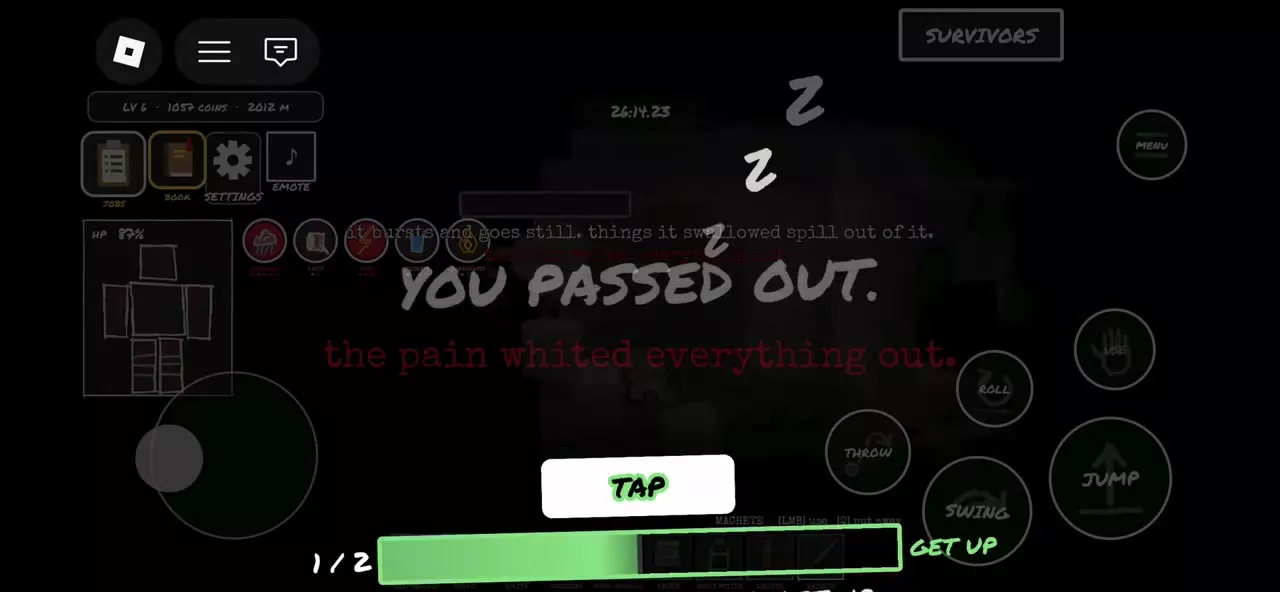
When you pass out, repeatedly press Space on keyboard or rapidly tap the screen as prompted to fill GET UP. For HOLD ON, keep tapping until the overlay clears. After recovering, inspect BODY and treat your injuries. After death, REVIVE costs 49 Robux and returns you beside a friend or at a nearby safe location. GO FERAL costs 99 Robux and gives a final 45-second return with faster movement and stronger swings, but blocks extraction, drains health and ends with a fatal collar explosion.
Passing Out and Dying
A blackout is recoverable. YOU PASSED OUT leads to a GET UP interaction that lets you regain control. Pain and blood loss can cause blackouts; painful treatment, including glass removal and amputation, can also make you pass out.
Getting up restores control with your remaining health and injuries. It does not close wounds or stop bleeding, so blood loss can continue after you stand up. A death screen instead presents your run results and post-death choices.
GET UP and HOLD ON
Recover with GET UP
When YOU PASSED OUT or COME ON. GET UP. appears:
- Repeatedly press Space on keyboard, or rapidly tap the screen on a touch device as prompted.
- Keep going until the GET UP bar fills and GETTING UP appears.
- Once control returns, open BODY, inspect the injured parts and address active bleeding and wounds.
Follow the recovery prompt even while a teammate treats you. Their treatment and your GET UP interaction can happen together. A displayed 2/2 is recovery progress, not an instruction to press only twice.
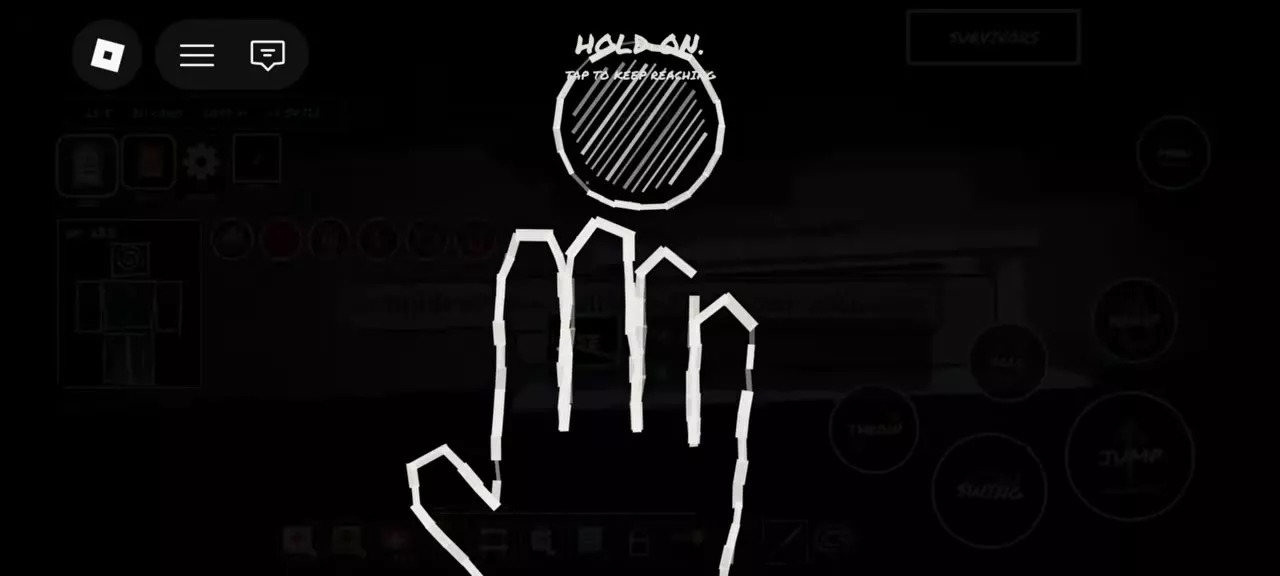
Complete HOLD ON
The dark HOLD ON interface uses a hand reaching toward a circular prompt.
- Tap as directed when TAP TO KEEP BREATHING appears.
- Continue tapping when the prompt says TAP TO KEEP REACHING. If KEEP REACHING appears first, start there.
- Continue until the overlay disappears and the cave view returns.
Spectate, Return to the Lobby or Revive
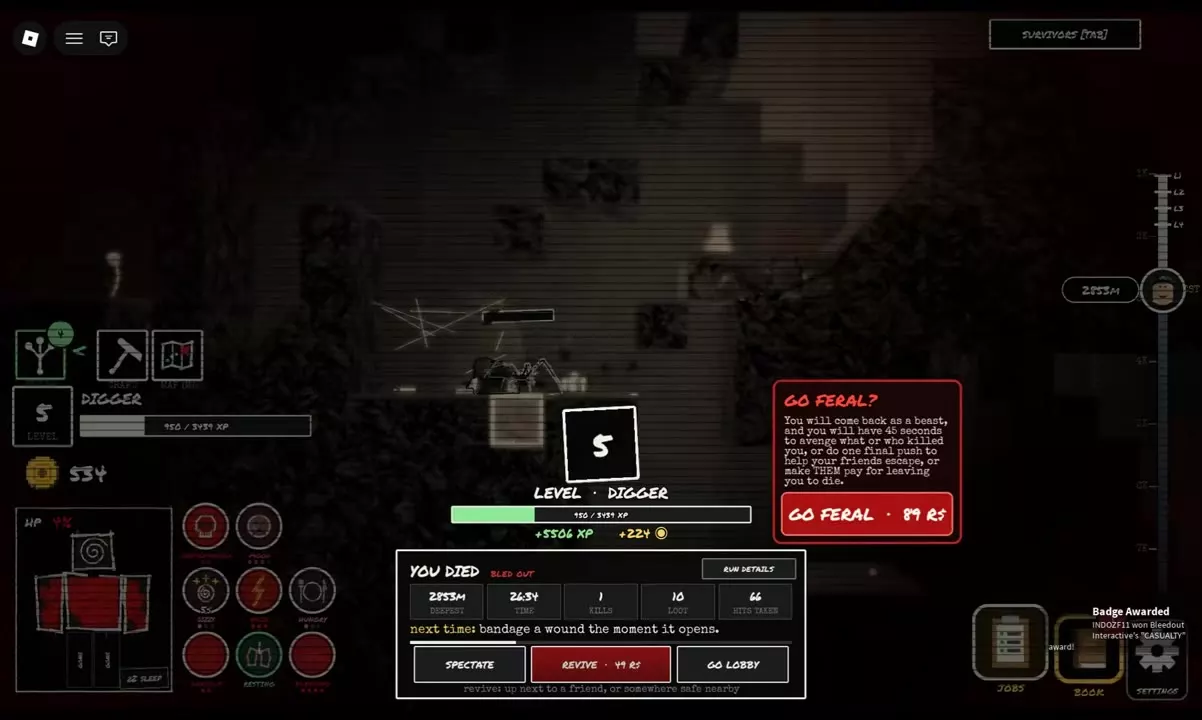
Choose an option on the death results screen:
| Option | Result | Price |
|---|---|---|
| SPECTATE | Watch remaining players | — |
| GO LOBBY | Return to the lobby | — |
| RUN DETAILS | Inspect run statistics | — |
| REVIVE | Return to the expedition | 49 Robux |
| GO FERAL | Final 45-second beast return | 99 Robux |
To revive, select REVIVE and complete the 49 Robux purchase. The return location is beside a friend or at a nearby safe spot.
Choose REVIVE when you want to continue the expedition. Choose SPECTATE to stay with the surviving players as an observer, or GO LOBBY when you are ready to leave the run. GO FERAL is a final attack or support window with the restrictions below.
Go Feral
Activate Feral
You have two entry points:
- During an expedition: use a Feral Dose. If it is in Stash, select it through PACK FOR THE TRIP before descending.
- After death: choose GO FERAL, priced at 99 Robux, for a return as a beast.
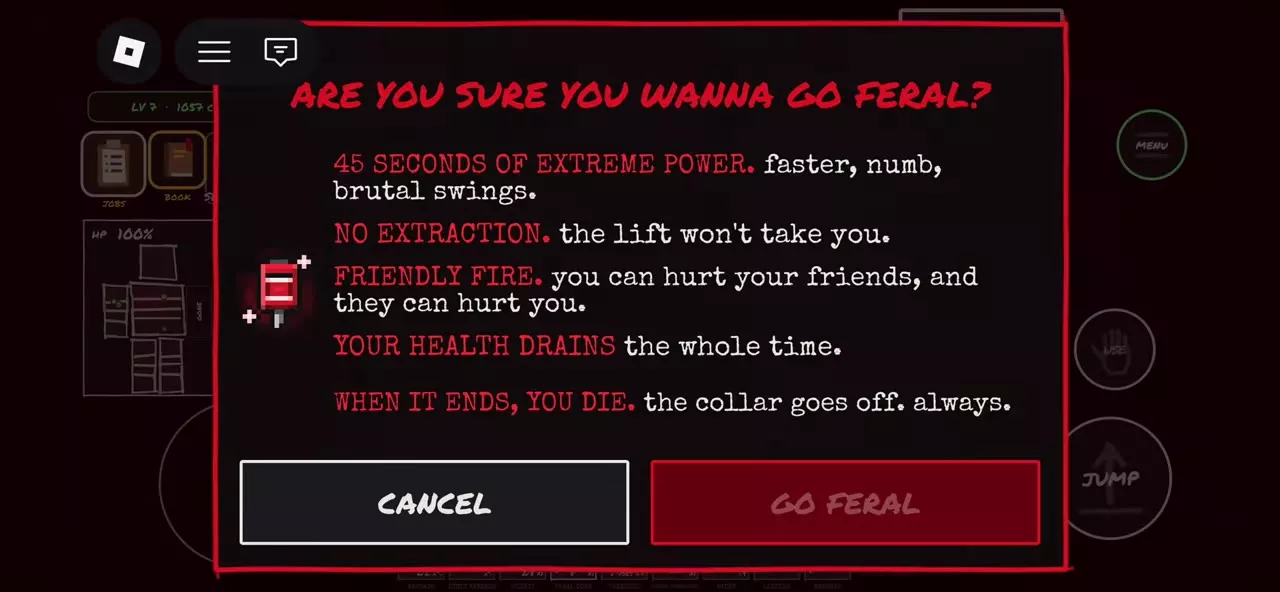
Review the confirmation, then select GO FERAL to accept or CANCEL to close it.
Effects and consequences
Feral lasts 45 seconds. You move faster, feel numb and deliver stronger swings. Those benefits come with consequences throughout the effect:
- Extraction is blocked. The lift will not carry you out.
- Friendly fire works both ways. You can hurt friends, and friends can hurt you.
- Health drains continuously.
- Stamina still runs out. The exhausted-and-rest warning still applies.
- The collar explodes when the effect ends, killing you.
Use the speed and stronger swings for a final attack on your killer or a push to help friends escape. Keep your attacks clear of teammates because friendly fire threatens the players you are trying to help. If your goal is to leave alive yourself, keep that goal ahead of activating Feral: extraction remains blocked during the effect.
Death Messages and Run Details
Read the cause and active warnings
- BLED OUT / YOU BLED OUT: death from blood loss. Bandage a wound as soon as it opens; right-click yourself to inspect treatable injuries.
- THE WOUND WENT BAD: a wound-related death message.
- TERMINAL HYPOTHERMIA: a warning that you are freezing to death. Regaining consciousness does not remove that danger.
Use the stated death cause to identify the problem to address on your next attempt. An active warning and the final death message describe different information; for example, terminal hypothermia can be present before a result that says THE WOUND WENT BAD.
If the death transition displays click to skip, click to move past its text.
Review THE RUN
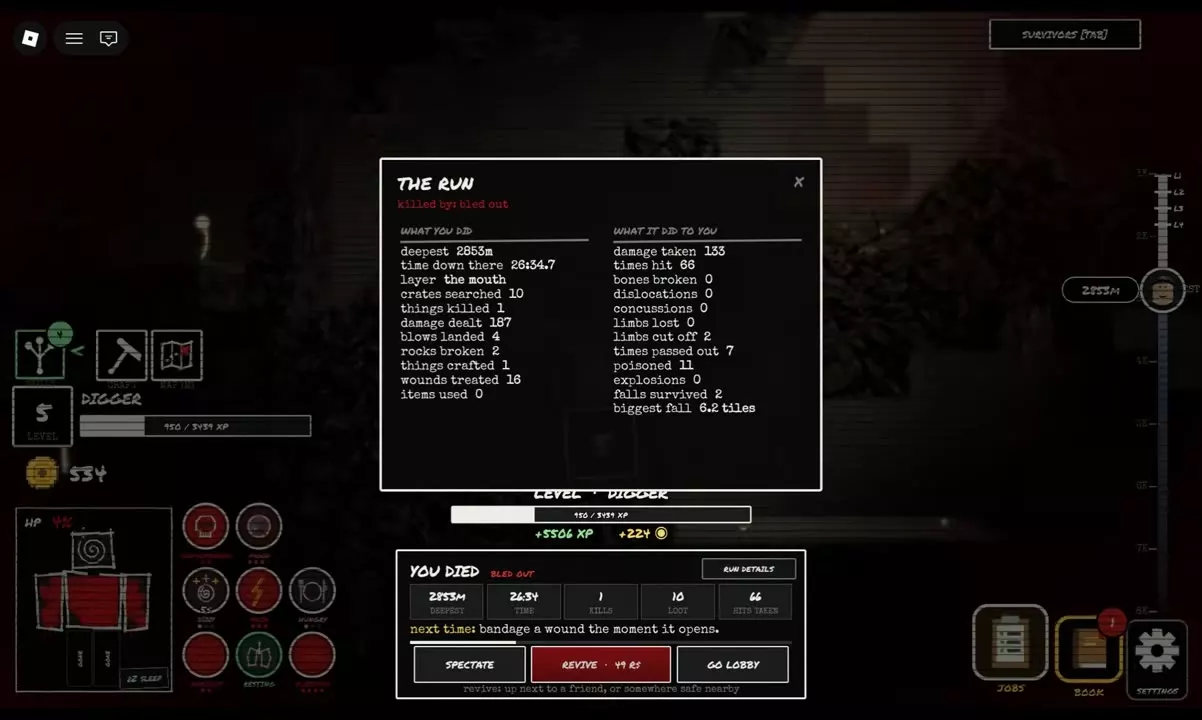
Open RUN DETAILS on the results screen to inspect THE RUN. It includes the death cause, deepest depth, time underground and layer, followed by two groups of statistics:
- WHAT YOU DID: crates searched, kills, damage dealt, hits landed, rocks broken, items crafted, wounds treated and items used.
- WHAT IT DID TO YOU: damage taken, hits received, fractures, dislocations, concussions, limbs lost, limbs cut off, blackouts, poisonings, explosions, falls survived and maximum fall distance.
The screen tracks limbs lost and limbs cut off separately. Compare the injury totals and death cause to see what repeatedly interrupted the run. The results also display XP and Coins earned for that run.
Stash and Carried-Item Loss
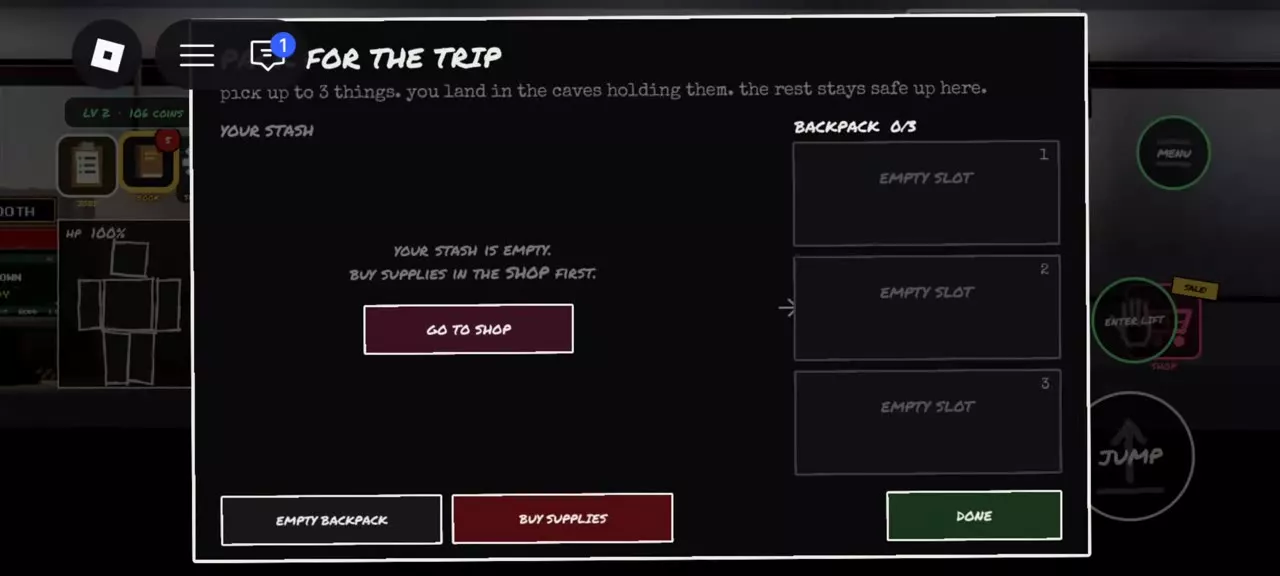
Supplies you leave in Stash stay safely upstairs. Before descending, use PACK FOR THE TRIP to choose what to bring.
A Feral Dose is lost if you die while carrying it. Pack it when you intend to have that final-action option underground; leave it in Stash when you want to keep it safe for a later expedition.
Treat Injuries or Leave Alive
- Healing and injury treatment: inspect BODY and treat the bleeding, wounds, infection or pain behind a blackout.
- Anxiety, panic and mood recovery: handle active mental conditions alongside physical injuries.
- Medical supplies and prosthetics: choose treatment items and find the Feral Dose item details.
- Extract safely: follow the route to a Rescue Capsule and leave alive with your carried supplies.