Cave Casualties Co-op: Lifts, Healing and Carrying Friends
Start a shared descent from The Staging Hall, then help each other through injuries and difficult terrain. Lift permissions control who joins, while treatment, carrying and Lasso connections provide different ways to support a teammate underground.
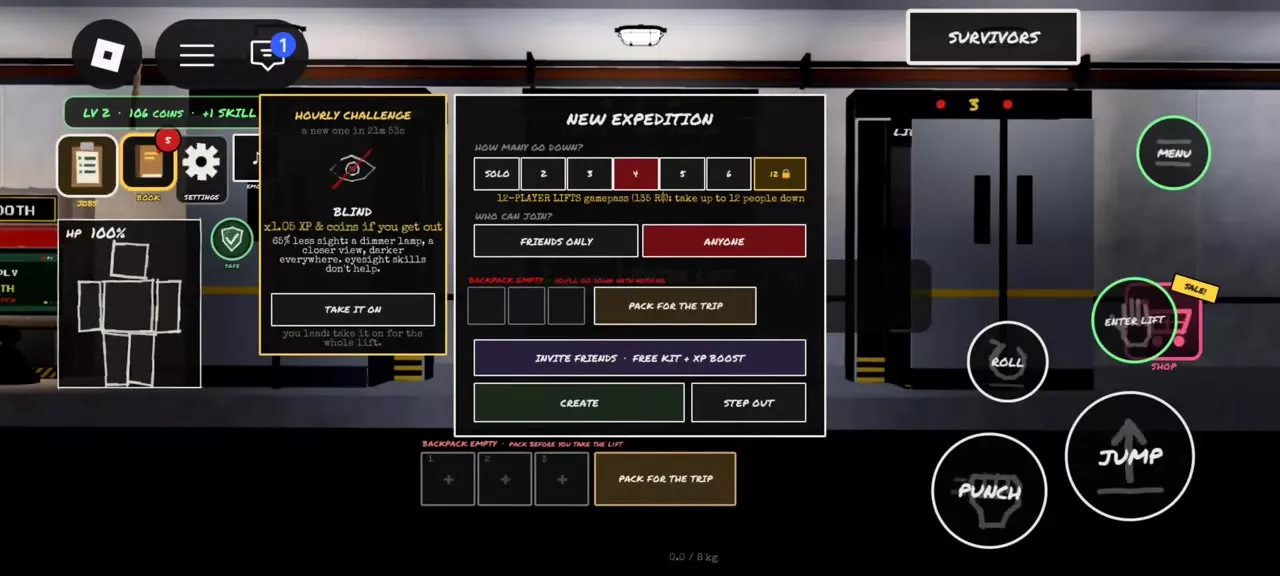
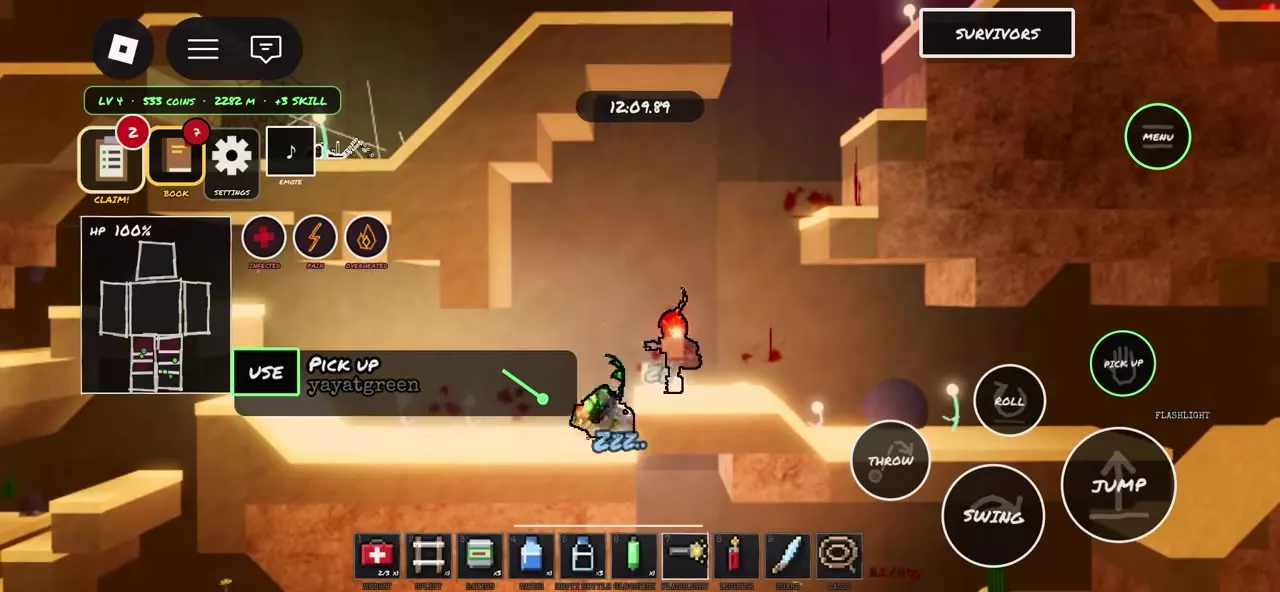
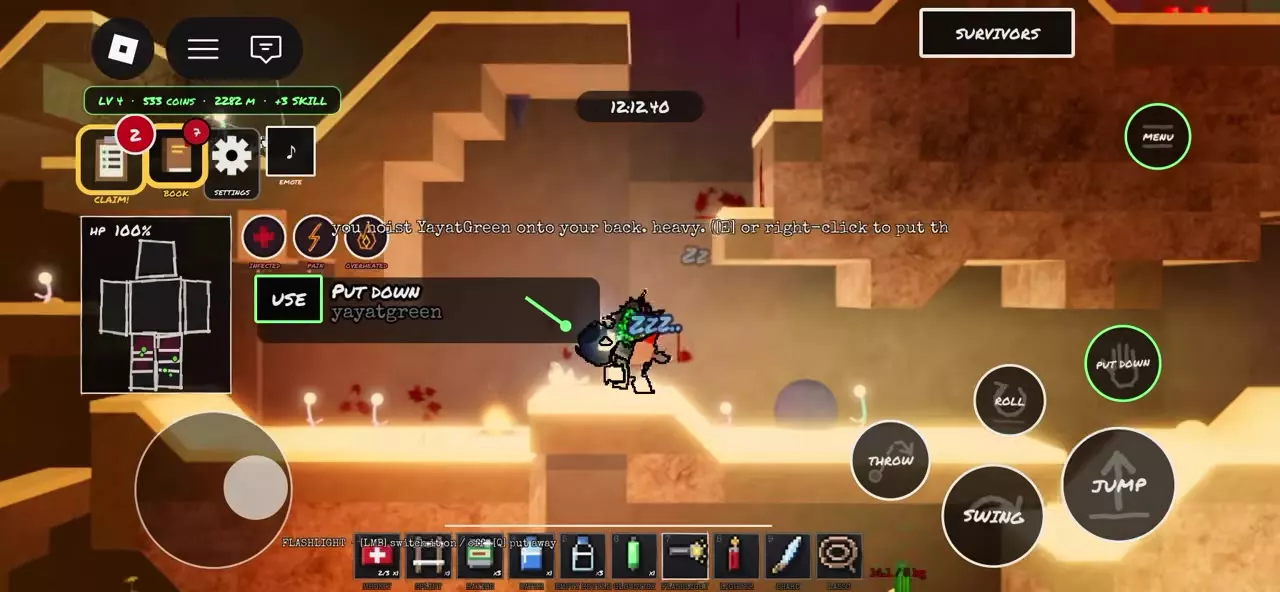
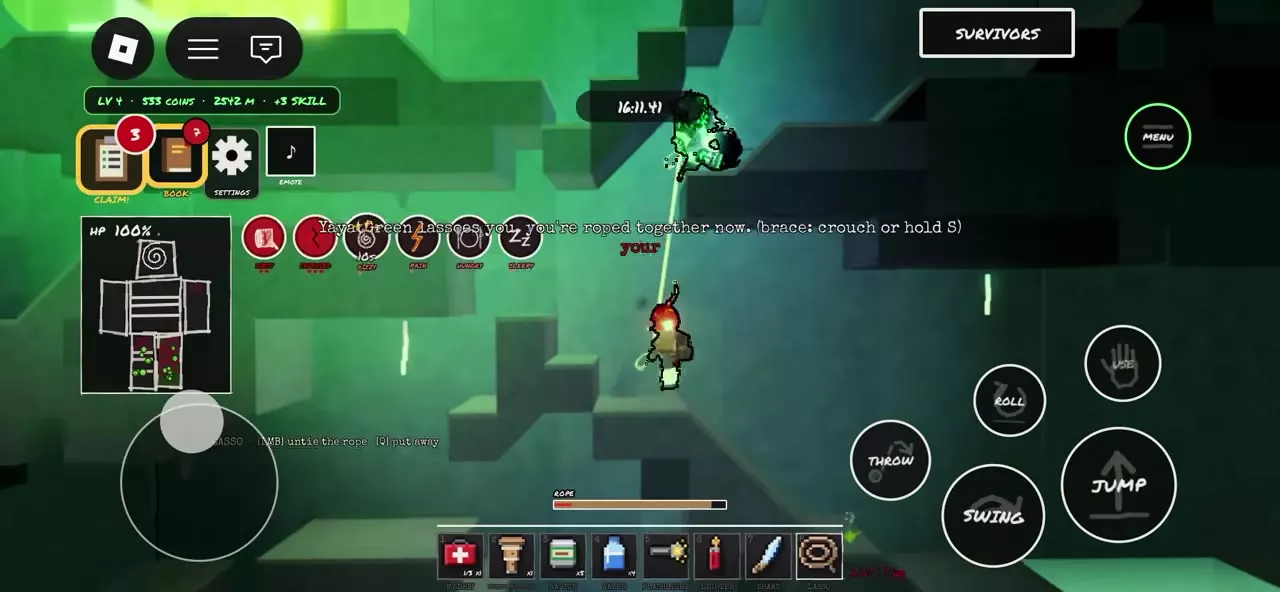
Use ENTER LIFT, choose your group size and Friends Only or Anyone, then select Create and invite your friends. Standard lifts support up to six players; 12-PLAYER LIFTS unlocks twelve. On PC, right-click a nearby teammate to inspect and treat injuries. Use PICK UP on a sleeping player to carry them, or throw a Lasso with LMB to connect, crouch or hold S to brace, and use LMB again to untie.
Prepare a Shared Expedition
Meet in The Staging Hall, a temporary safe area where you can prepare before boarding. Standard expedition choices are SOLO, 2, 3, 4, 5 or 6 players. For a larger party, the lift owner's 12-PLAYER LIFTS pass expands their lift to twelve players.
Have each player pack medical supplies, and bring a Lasso for player connections. A Medkit supplies treatment items; the player throwing a Lasso needs it equipped to make the connection.
Each player selects up to three items from their own stash through PACK FOR THE TRIP. This is the departure selection limit, rather than the total number of items you can carry underground. Unselected supplies remain in the stash. See inventory and packing for the full storage controls.
Set Up or Join a Lift
- Approach an open lift in The Staging Hall and use ENTER LIFT to open New Expedition.
- Select a capacity that fits your party.
- Choose Friends Only for a friends group or Anyone to let other players join.
- Use Pack for the Trip and Invite Friends as needed, then select Create.
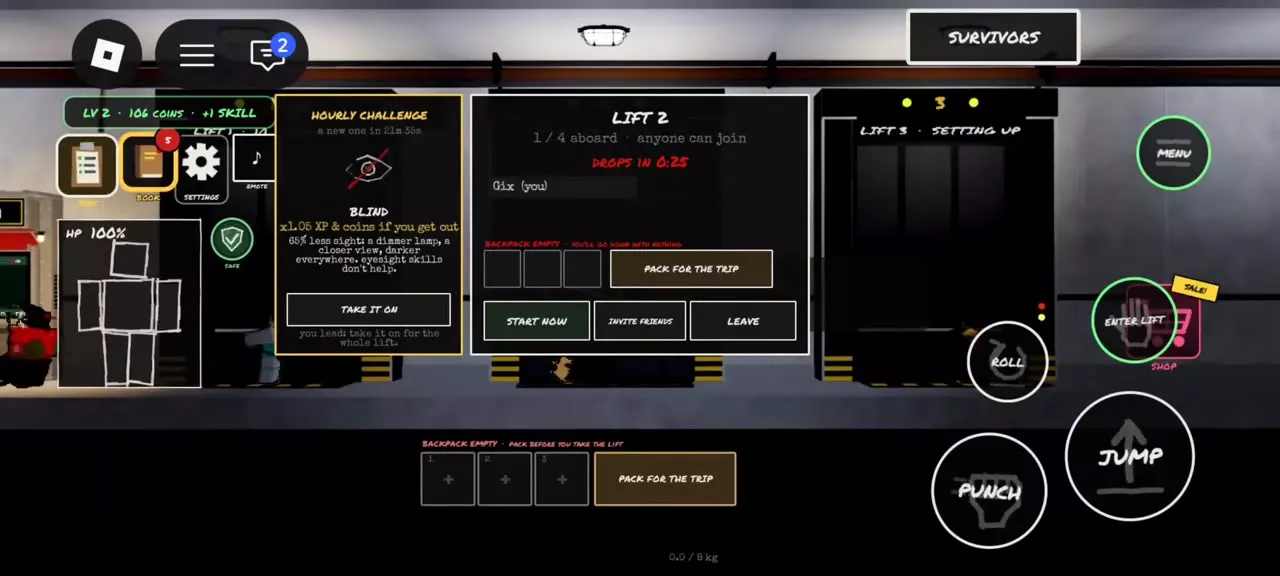
- Check the aboard count and DROPS IN countdown. The departure panel also provides PACK FOR THE TRIP, START NOW, INVITE FRIENDS and LEAVE.
To join an expedition another player is setting up, use that lift's panel and follow its joining permission. Check the aboard count to confirm the group has assembled before departure.
The selected capacity does not have to be filled: a lift can count down and depart with fewer players aboard. START NOW is the immediate-start control. Use Step Out to exit setup or LEAVE from the departure panel if you need to leave the lift. An empty departure backpack does not block departure, so finish packing before the countdown ends.
Invite Friends and Use the Shared Bonuses
Open Invite Friends from New Expedition or INVITE FRIENDS on the departure panel. If the friend list is unavailable, use More Friends.
Inviting a new player gives both the inviter and the invited player a free gear set containing a Lasso, Machete and Medkit. Descend together to activate the shared reward bonuses.
| Benefit | Reward | Condition |
|---|---|---|
| Free gear for both players | Lasso, Machete, Medkit | Invite a new player |
| Shared XP | +20% | Descend together |
| Shared Coins | +20% | Descend together |
| Additional friend XP | +10% per friend | Descend with friends |
| Maximum friend XP bonus | +60% | Friend bonus |
The additional per-friend increase applies to XP. The shared Coin bonus is +20%.
Treat or Carry a Teammate
Treat an injured friend
- Stand beside the injured teammate. On PC, right-click the teammate to open their available actions.
- Inspect the affected body part and choose the treatment it needs. Have the supplies required for that action.
- If a dressing must be replaced, remove it from that part before applying another. Teammates can remove dressings from the torso or legs.
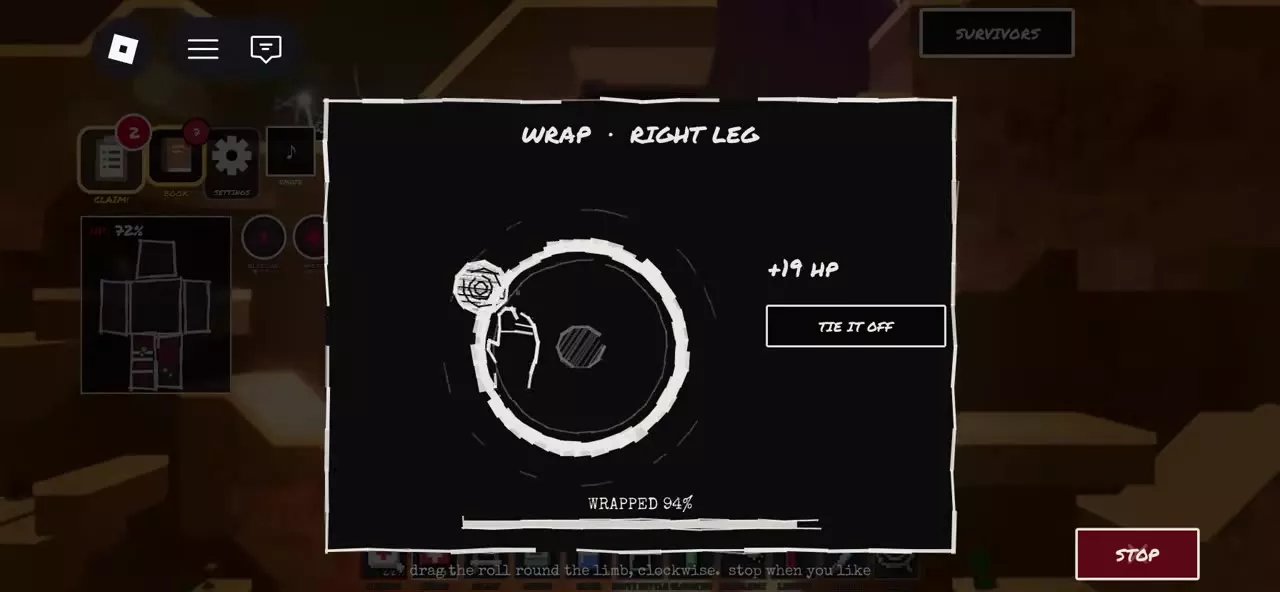
- When bandaging, drag the roll clockwise around the selected limb, then use TIE IT OFF to secure it. Use Q where the wrapping screen displays that control.
- Treat each injured part separately. If both legs are injured, finish one leg, then select and treat the other.
Stay close while the care is carried out. A bandage marker on one leg does not mean the other leg has been treated.
Carry a sleeping player
- Approach a sleeping player until PICK UP becomes available.
- Use PICK UP to hoist them onto your back.
- Move them to the position you need, then use PUT DOWN on mobile, or E or right-click on PC, to set them down.
Carrying a player adds a heavy load. Use it when you need to move a sleeping teammate, and put them down when carrying is no longer needed.
Connect and Release a Lasso
- Equip a Lasso and aim toward a teammate within reach of the throw.
- Press LMB to throw the loop.
- Wait for the message confirming that you are roped together. A successful catch links the two characters.
- Crouch or hold S to brace yourself while connected.
- Press LMB to untie when you need to disconnect. Throw the loop again to reconnect.
Q puts the Lasso away; use LMB for the untie action.
You can remain connected while moving toward a Rescue Capsule, then untie before continuing to the capsule's extraction interaction.
Injuries and Extraction
If you pass out while a teammate is treating you, keep completing the recovery prompt: repeatedly press Space on keyboard or rapidly tap as prompted on a touch screen to fill GET UP. Receiving treatment does not replace your recovery input.
Once you regain control, inspect the remaining injuries. Secured bandages provide gradual recovery, while infection, embedded fragments and fractures require their own treatment. Getting up does not heal wounds or stop untreated blood loss.
At a Rescue Capsule, each player should complete their own available extraction interaction. A Lasso connection does not extract the whole team together.
Treatment and Equipment
- Healing and injury treatment: choose the correct treatment for bleeding, fragments, fractures, infection and pain.
- Tools and light sources: compare equipment and find the Lasso's detailed entry.
- Safe extraction: follow the extraction marker, identify a Rescue Capsule and complete EXTRACT SAFELY.