Cave Casualties Amputation and Stump Care
Amputation removes a dead limb but leaves a bleeding stump. Prepare the dressing before you cut, control your strokes through the cutting minigame, then treat the stump and arrange a way to move.
Check the limb in BODY: ROTTING means it must come off, while CUT IT OFF alone is not a diagnosis. With a Shard and clean dressing ready, confirm CUT IT OFF, hold the limb to tighten the tourniquet, then hold LMB and move the blade steadily left and right. Slow down as PAIN rises. After IT'S OFF, bandage the stump clockwise and use TIE IT OFF. Continue by hopping, crawling or using a Lasso, or fit a Wooden Prosthetic through BODY → PROSTHETIC.
Check for Rot Before Confirming
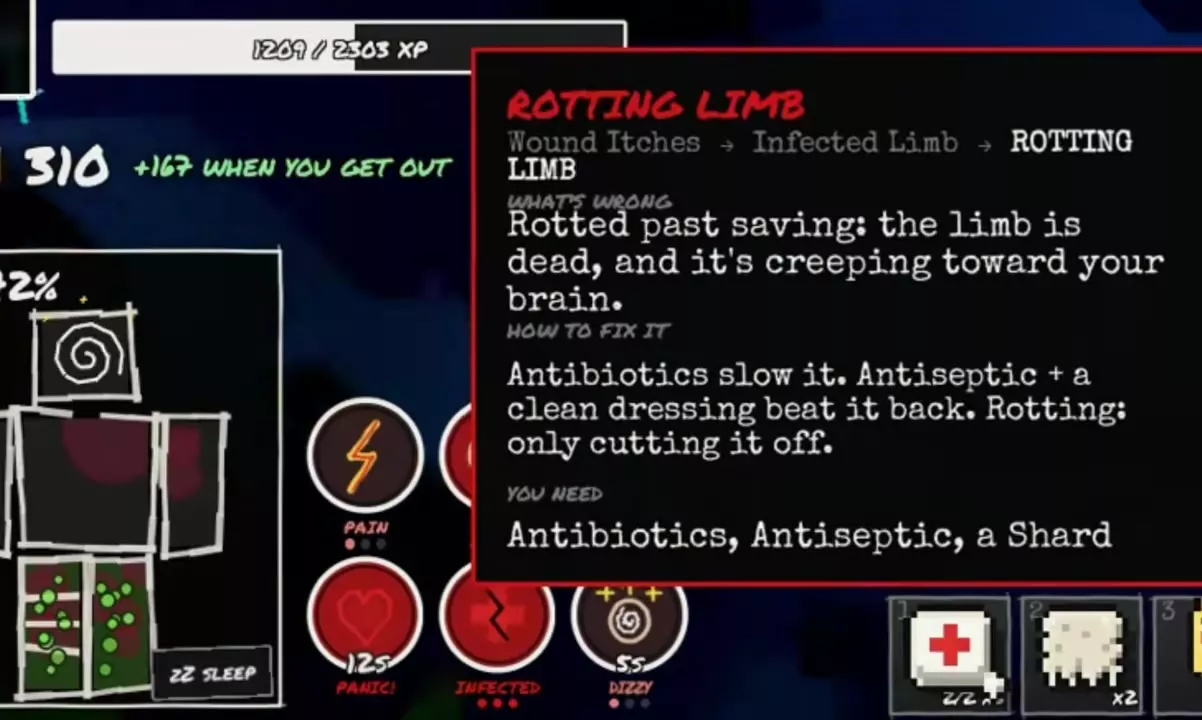
Open BODY and select the affected arm or leg. A limb marked ROTTING — IT HAS TO COME OFF is dead; infection is spreading toward the brain, and treatment cannot restore the dead tissue. Remove it and dress the resulting stump.
CUT IT OFF also appears on limbs without rot. If the limb is infected but has not rotted, treat the infection and bleeding first. Antibiotics slow infection, while Antiseptic combined with clean dressings suppresses it. A clean bandage treats bleeding but does not clear an existing infection.
Check the selected limb's name before confirming. The original limb cannot be reattached after removal. Choose NO, WAIT. to back out of the confirmation.
Prepare a Blade, Dressing and Exit Plan
Have the supplies for both removal and recovery ready before confirming:
- Shard: a cutting tool for the procedure. A Machete also supports amputation.
- Clean Bandage or Medkit: treat the bleeding stump immediately after removal. A Medkit's CLEAN BANDAGE choice opens body-part selection.
- Lasso: bring one for rope-assisted movement if losing a leg will make the route difficult.
- Wooden Prosthetic: carry a replacement if you want to fit one after removal.
Recheck which limb you are cutting and how you will leave the area afterward. Losing a leg changes your movement, so prepare your route as well as your medical supplies. Prioritize dressing the bleeding stump before fitting a replacement or traveling.
1. Tighten the Tourniquet and Cut
- Select the intended limb in BODY, choose CUT IT OFF, and confirm the removal warning.
- Click and hold the limb to tighten TOURNIQUET until the interface advances to cutting.
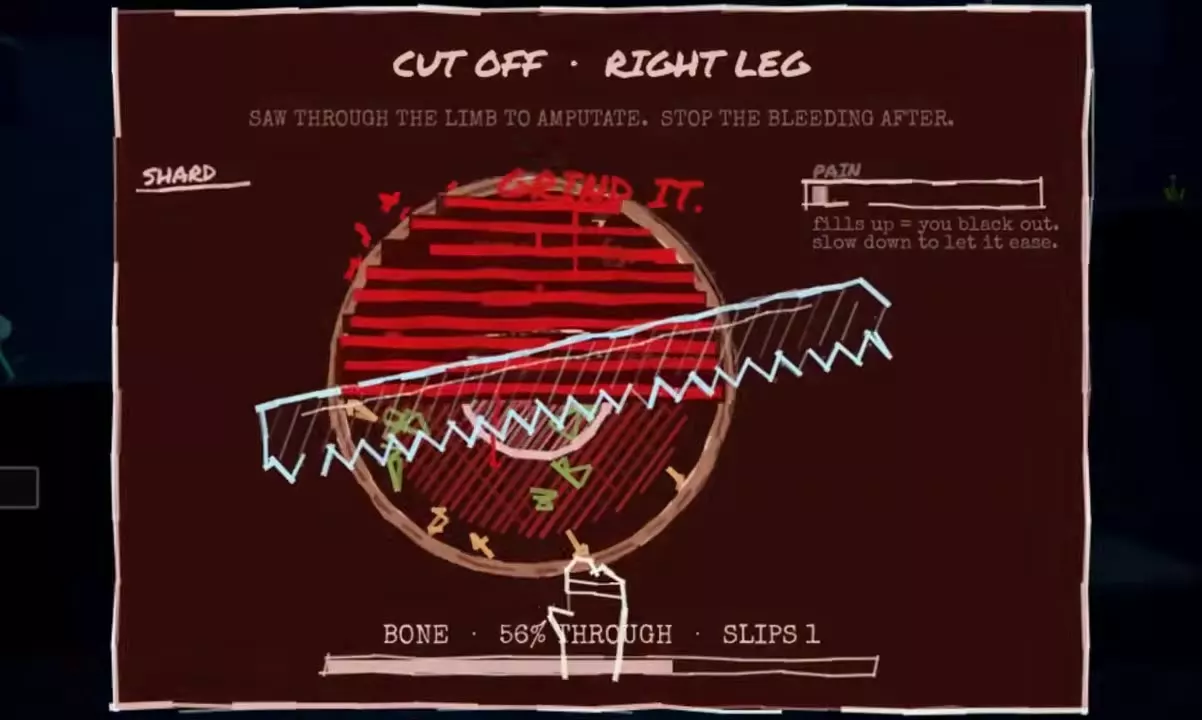
- Hold the left mouse button and drag the blade left and right across the incision with steady strokes.
- Continue through SKIN → MEAT → BONE → ALMOST until progress reaches 100% THROUGH and IT'S OFF or the limb-loss message appears.
Watch PAIN while cutting. Slow your strokes to let it subside; a full bar causes unconsciousness. Keep the blade aligned with the incision. OFF THE CUT and IT SKIDS OFF THE BONE signal poor alignment or a skid, and SLIPS increases. Correct the blade's position and resume steady strokes.
Arm removal uses the same confirmation, tourniquet and cutting controls. Completing it leaves an arm stump that needs dressing.
2. Dress the Bleeding Stump
- Return to BODY, select the missing limb, and choose BANDAGE. If the panel offers MEDKIT, use its dressing option; from the Medkit menu, choose CLEAN BANDAGE and select the stump.
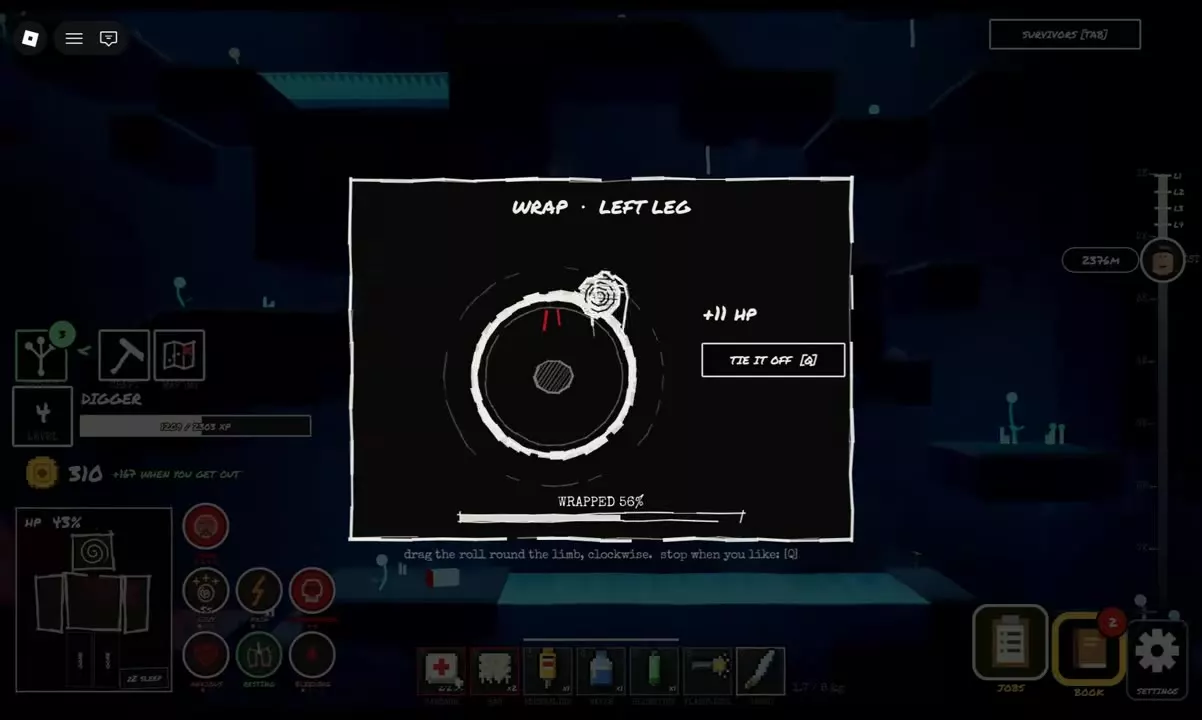
- In WRAP, drag the bandage roll clockwise around the stump until WRAPPED reaches 100%.
- Choose TIE IT OFF, or press Q in the wrapping interface, to secure it.
- Check the selected stump for STUMP DRESSED.
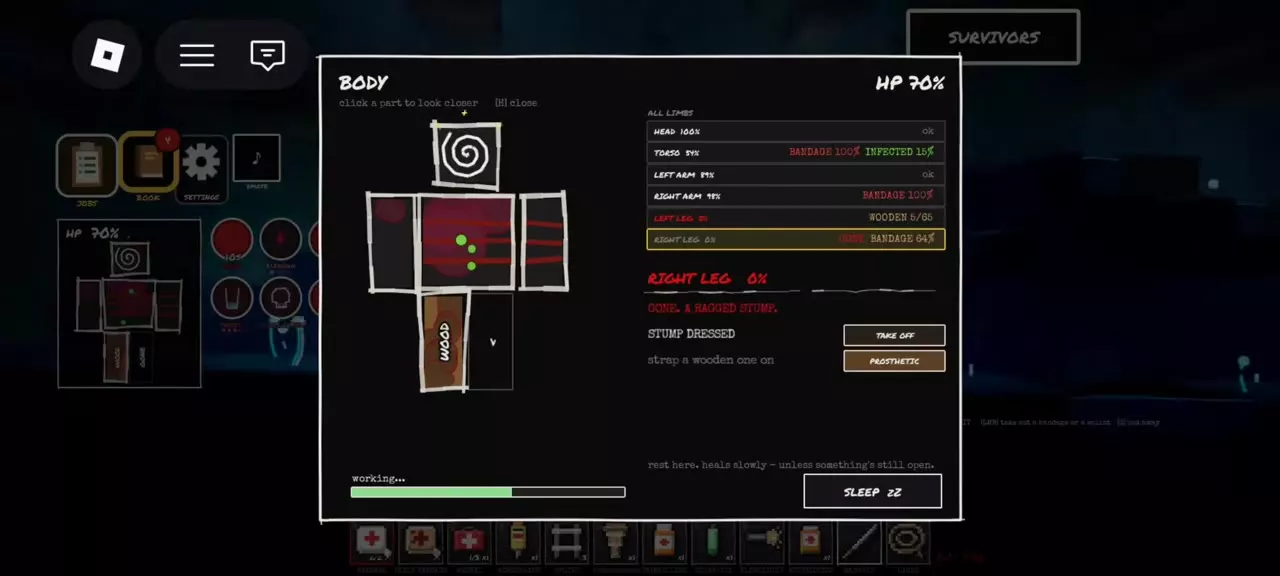
A completed 100% stump wrap gives 20 HP gradually. It does not regrow the limb: the missing part remains at 0% until a replacement is fitted.
Keep the dressing clean. To replace an existing wrap, prepare a clean dressing, select TAKE OFF, then apply the replacement. In Medkit body-part selection, red marks bleeding parts and white marks wrapped parts.
Without an available dressing, the panel displays NO BANDAGE and the stump continues bleeding. Sleeping does not replace bandaging; blood loss continues during sleep with an open, bleeding stump. If several limbs are missing, dress each stump.
3. Move or Fit a Replacement
Move with missing legs
- One supporting leg: move by hopping. This also applies when the supporting leg is wooden and the other leg is missing.
- Both legs missing, without replacements: move by crawling.
- Low gaps: use ROLL to duck through, then GET UP to leave the lowered position.
- Rope assistance: attach a Lasso to rock. While attached, press W to climb, S to let out rope, and click or press LMB to detach.
Fit a Wooden Prosthetic
After treating the bleeding stump, open BODY, select the missing limb, and choose PROSTHETIC. Wait for the working or strapping progress to finish. The fitted part displays WOODEN PROSTHETIC 65/65; its body-part status displays 65%.
Wooden replacements fit missing arms and legs, and both legs can have replacements at the same time. If no replacement is available, the panel displays NO PROSTHETIC. The held item's prompt also lets you click a missing limb to fit it.
Interrupted Cutting and Broken Prosthetics
Check the limb after an interruption
Use STOP, Q, or the right mouse button to stop cutting. After stopping or waking from a blackout, inspect BODY before treating the limb as missing. Reaching the bone stage does not mean removal is complete: an attempt interrupted at BONE, 58% left the leg attached, and reopening CUT IT OFF returned to the tourniquet stage.
If the limb is still attached, reassess its condition before restarting. If removal completed, treat the bleeding stump.
Replace a broken wooden limb
Check each fitted prosthetic's durability in BODY. At 0 durability, it breaks and that body part becomes missing again. A broken wooden leg leaves you hopping if the other leg still supports you.
With another Wooden Prosthetic available, select the missing part, choose PROSTHETIC, and wait for fitting to finish. The new replacement returns to 65/65. When both legs are wooden, inspect them separately; each has its own remaining durability.
Treatment and Replacement Supplies
- Healing and injury treatment: treat infection before rot and manage other wounds.
- Medical supplies and prosthetics: compare dressings, medicines and replacement supplies, including acquisition and prices.
- Passing out, revival and Feral: follow the GET UP and HOLD ON interactions after losing control.
- Safe extraction: navigate to a Rescue Capsule and leave with your carried loot.